The Phantoms of the Fraudpera: an overview of anti-detection tooling
This weekend, I gave a talk at BSides SF 2026 to a full theater at the Metreon AMC.
This is that talk, as a blog post. It’s about the hidden ecosystem of attackers’ tools and how they factor into attacker ROI.
Before we get started, I do want to thank the event organizers who put me into one of the first slots. I think there are about eight talks that mention Phantom of the Opera, since apparently that’s the first musical that comes to mind.
Hi everyone! I’m Bobbie, product manager at Stytch by Twilio. I work on bot detection and fraud prevention, which is where I learned about these anti-detection tools.
Here’s our agenda for today. We’ll start with how fraud is a business; introduce a motivating scenario; talk through four different kinds of evasion tooling; and finally get to breaking the attacker’s return-on-investment (ROI).

First, fraud is a business.

When we think about fraud or cyber-crime, there’s a particular popular image that comes to mind. It’s a shady back-alley deal. Or it’s a guy in a hoodie typing at a green terminal in a darkened room. He’s a lone wolf with a particular set of skills.

But fraud is a lot more like our day jobs. Fraud is a business. Fraudsters have managers and SOPs and runbooks and quotas to hit.
These photos come from Wired and Andy Greenberg’s reporting on scam centers in southeast Asia. On the left, here’s a whiteboard for the team to forecast their big “deals” coming in. On the right is a ceremonial gong that team members hit when they close a big “sale”. Isn’t that familiar?

We’re currently in San Francisco, where all the billboards look like this. They’re all selling B2B SaaS. When I have friends visiting, especially if they don’t work in tech, they’re baffled by the breadth of companies they’ve never heard of.
And yet, these B2B SaaS companies are solving real problems. They’ve solved one narrow slice of “undifferentiated heavy lifting” so that other businesses don’t have to. People are happy to buy SaaS solutions so they can get back to their core work.
The same dynamic exists in the shadier businesses of fraud.

Look at this landing page. Big tagline, value propositions underneath with a nice big call-to-action to Get Started. It’s even got the “Try for $low price” in the corner, and our favorite blue-purple color scheme.

How about this one? It’s a two-sided marketplace. You can see how the marketing copy has been tailored for the developers who buy a captcha-solving service (API clients and keys, GitHub), versus the everyday users who might do captcha entry work (work from home, earn money without registration fees).
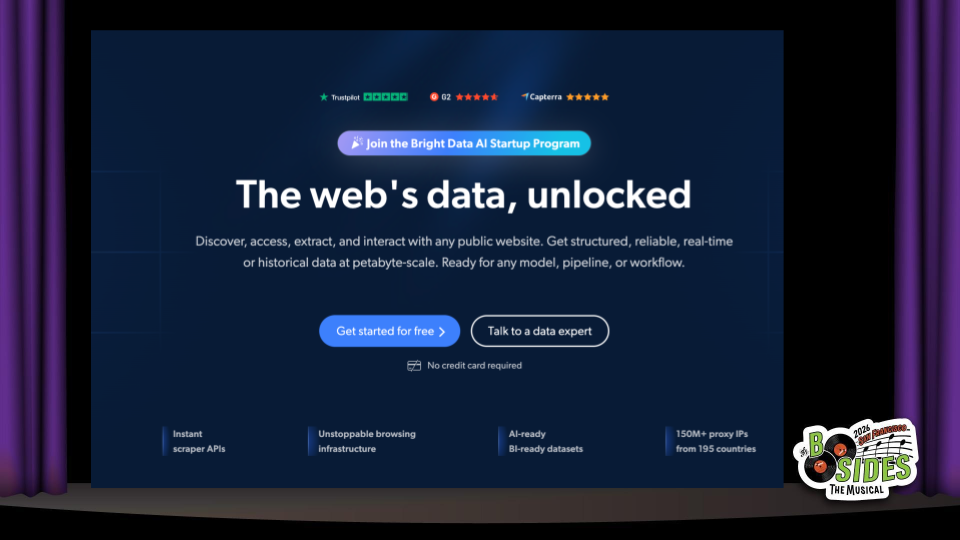
Another one. Big tagline, value props, a few CTAs, and even some social proof from the review site ratings.

Here’s a pricing page for one of these services, ranging from “Starter” up to “Custom package”, with each tier accumulating more features. Of course as all modern pricing tiers go, the Goldilocks tier is highlighted as POPULAR, so you know you’re neither overpaying nor cheaping out.

Okay, last one here - look at all the documentation site here, with detailed docs for different tasks. It’s translated into 20 different languages, a level of internationalization that we can all aspire to.
I’m showing all of these sites not because I think any individual one of them is special. Actually, I think they’re very normal for B2B SaaS sites.

Traditionally B2B SaaS stands for business-to-business. But let’s consider bad-actor-to-bad-actor.
The same incentives apply here: it is more efficient for specialized organizations to solve specific and narrow problems, and resell that expertise to others. That’s the promise of B2B SaaS, and capitalism as a whole. And it’s important to remember that it applies to attacker economics as well.

I put together this talk because I’ve had a lot of conversations with defenders who had no idea about these kinds of tools. That’s not very fun. Chess grandmasters might be able to play blindfolded, but in our line of business it’s important to know what we’re facing.

That brings us to our motivating scenario.

Let’s say there’s a new SaaS company. It’s always been hard to get people’s attention, so the company starts a free trial offering. By giving away some resources, they can attract new users; hopefully, some of them will like the product and upgrade to a paid offering.
One day, they see the chart they’ve always been hoping for…
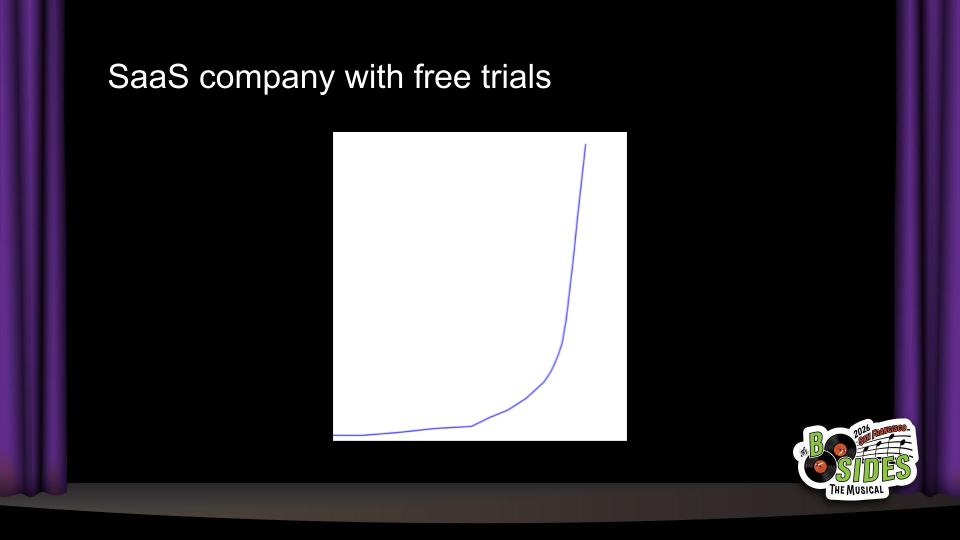
Finally, huge growth! But on a closer look, these new users aren’t converting and there’s some other suspicious signs…

And now, the hunt begins! One suspicious sign was some shared IP addresses between many of the accounts, which brings us to the first category of tooling…

Proxy providers.
Proxies enable attackers to direct their traffic from other places, hiding their own IP addresses.

Banning IPs is one of the first responses that defenders consider. And often times, it works great: you’ll ban an IP address and that bad traffic never returns.
But other times, IP bans don’t work at all. The attack continues from other IP addresses, or worse - you start getting reports of false positives, where there are known-good users who are getting blocked. What gives?

One kind of proxy that’s on the rise is “residential proxies”. Unlike traditional proxies that are hosted in datacenters for dedicated providers, residential proxies are routed through IP addresses used by Internet Service Providers to provide internet access to regular people at home. These IP addresses are often appear “cleaner” or have a better reputation, since they’re traditionally assigned to individuals.
Residential proxies can operate like a two-sided marketplace: today, you can sell access to your home (or mobile) internet connection and make $5 or $10 a month. All you need to do is install some software. On the buying side, someone who wants to hide their IP address will pay $4 per gigabyte to use your connection. In more nefarious setups, these can also be powered by botnets of malware-infected devices.
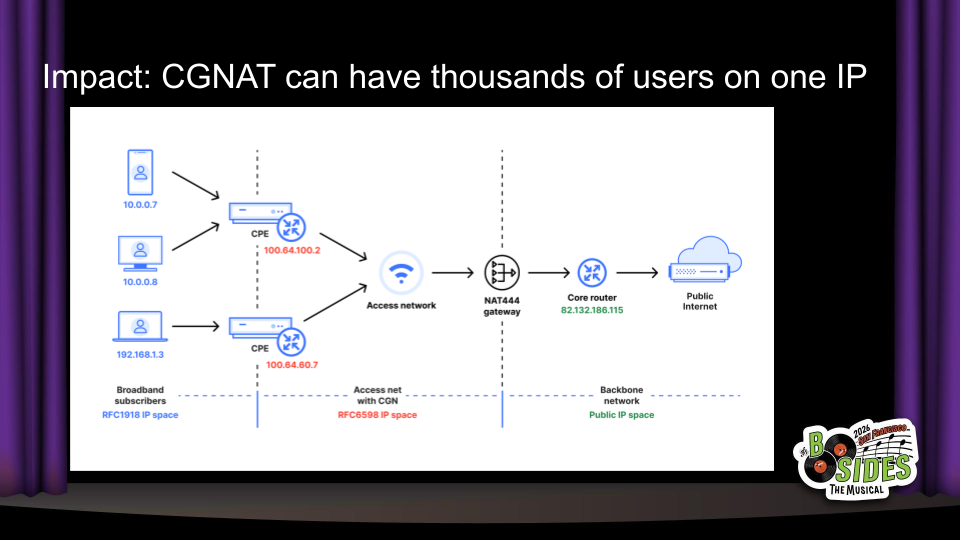
The blast radius of blocking a residential IP can be huge. Almost no one has home internet with a dedicated IP address. Instead, thousands of end users can be assigned to the same public IP address through carrier-grade NAT, as shown in this diagram from Cloudflare.
In the realm of security and fraud detection, that’s huge. Banning an IP address can result in a 99+% false positive rate, and that has a real impact on the business goals too. Our hypothetical business can’t reasonably ban all IP addresses with suspicious activity without harming lots of real users as well. So let’s move on to other defenses.

Captcha is one of the few words that really comes from an acronym: the Completely Automated Public Turing test to tell Computers and Humans Apart.

Traditionally, captchas involve a task that’s hard for computers, but easy for humans: first it was transcribing squiggly text, and now it’s mostly clicking on traffic lights. (Note: this slide originally included the video from the end of Neal.fun’s I’m Not A Robot, but I removed it for time reasons).
Nowadays, computers are pretty good at all kinds of tasks. You might think that’s why captchas are less effective. But there has always been captcha-solving tooling.

Here’s one pricing page for a captcha-solving service. I’ll highlight that the prices are not per-captcha. They’re for 1000 captchas, meaning that the effective price to bypass many captchas used today is less than a penny.
As I mentioned in the landing pages, many of these captcha-solving services are sold as two-sided marketplaces, where there is allegedly a human on the other end who performs those tasks to make a little extra money working from home. I also believe increasingly these are solved by dedicated solver-scripts - it’s certainly possible from a technical perspective, and there’s a big incentive for these services to improve their margins.

There’s quite a few of these captcha-solving services. Here’s the pricing from a different service, with similar rates per-1000.

And a third pricing page. These are not some kind of specialist tool, quite the opposite: it’s a fully commoditized product category, and all the competitors have converged on these very affordable less-than-a-penny prices. So what are we all clicking on traffic lights for again?

Let’s talk about anti-detect browsers.
Most captchas don’t just look at the task. They also do some amount of device fingerprinting to see if your browsing environment looks suspicious.
What that means is that there is another category for browsers that are made to look normal while still providing significant features for automation and stealth: anti-detect browsers.
These browsers are usually (but not always) Chromium forks, with custom patches to hide behavior like the `webdriver` attribute that indicates automation tooling, as well as the ability to change various profile settings in consistent ways.

The end result looks something like this - for $6 a month, you can get access to a special browser with dedicated features for setting up profiles that look totally different, so you can spin up 5, 10, or 100 trial accounts and harvest those free resources from businesses. They often come bundled with proxies and captcha-solvers, too.

Here’s another anti-detect browser with similar functionality. If they work as advertised, the combination of different browser profiles and automation-friendliness makes it easy to scale up attacks not only on free trials, but also on raffles and giveaways, referral programs, and promotions.

The funny thing is, anti-detect browsers can be snake oil as well. Here’s a LinkedIn post from someone who tested a bunch of anti-detect browsers, and I’ll highlight:

“What really shocked me is that some of the most well-known and highest-priced solutions performed among the worst. Price had almost no correlation with quality.”
Fraudsters are just like us! They probably have to sit through a bunch of identical vendor pitches and feature comparison tables, only to find in the PoC that some of these B2B SaaS products just… don’t work.
But you know what’s better than a hundred profiles on one device?
A hundred real devices.
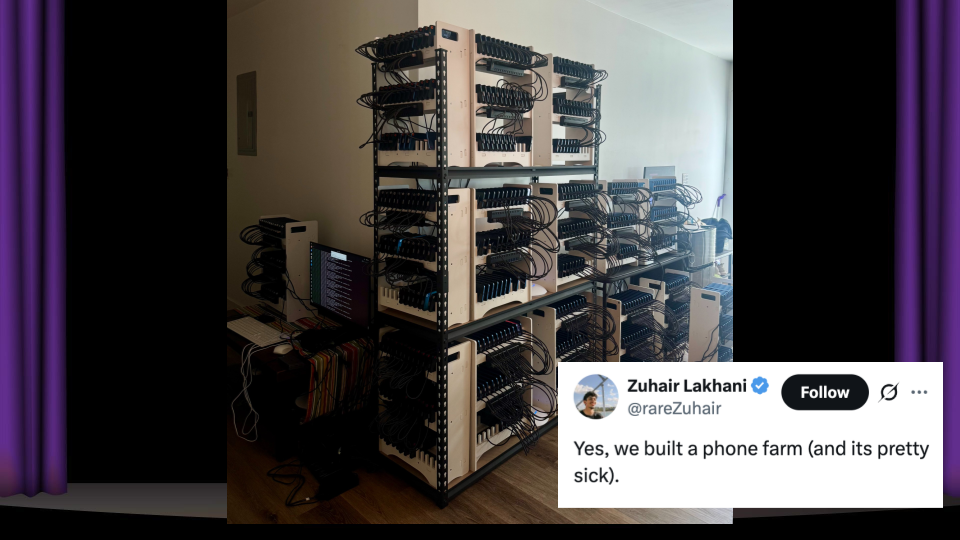
It’s extremely difficult to detect device farms. These involve hundreds or thousands of phones - usually Androids - with real SIM cards and mobile connections, and the ability to orchestrate them individually. The image in this photo comes from a16z-backed startup Doublespeed, which is performing the noble service of…
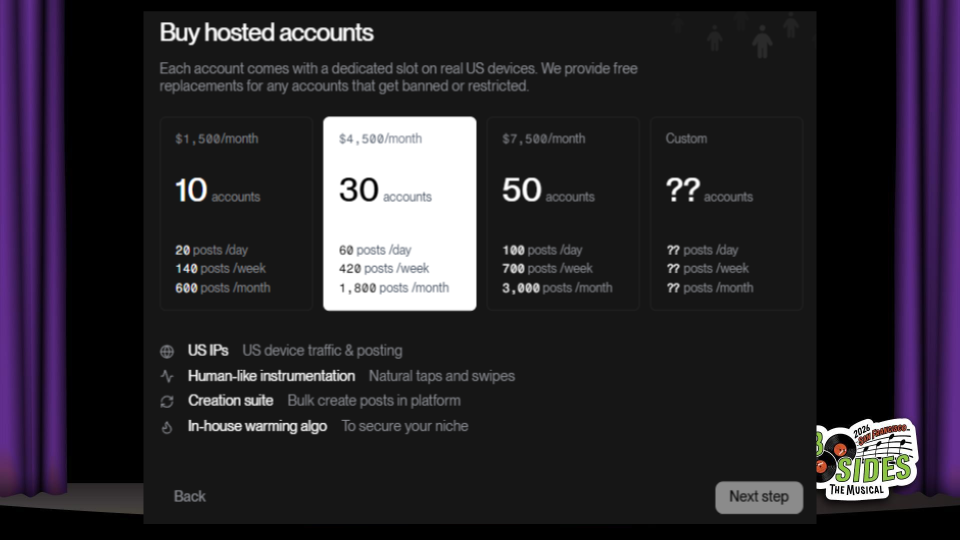
…creating AI spam for TikTok and other “organic” social media platforms. Yup, this is a totally ethical business that I’m sure will deliver great shareholder value. Thanks.
Note that these prices are for the fancy managed service for social media spam.

As anyone who’s ever seen an AWS bill knows, managed services can get pricey. If you’re willing to do some tinkering yourself, you can buy these convenient components ranging from $16 for a hardware-based screen auto-clicker to $105 for a rig to plug in and control up to 20 mobile phones - RGB lighting included.

So now that we’ve talked through various anti-detect tools… how are we all feeling?
I think it’s natural to feel a little demoralized. If it’s so easy for attackers to buy these things, what should we be doing to stop them?

But first, let me ask - why am I so focused on bots? Don’t real humans commit fraud, too?

I think a lot about bots because of this. Impact is Loss times Scale.

In our free trial scenario, we’re not giving away a ton of value. It might only be $2 of free resources, and these are marketing dollars. We know that not every user is going to convert, and if one guy wants to sign up with a few different emails it’s not going to break the bank.
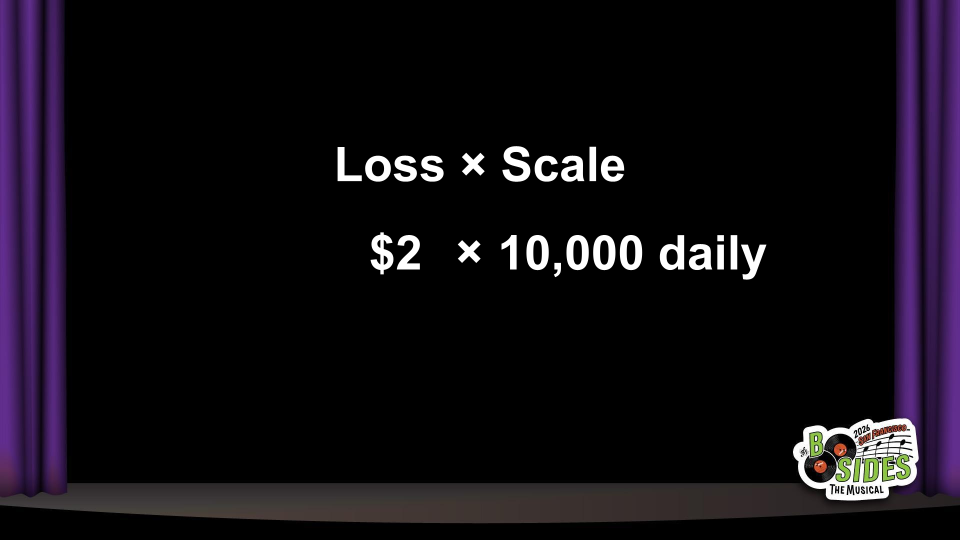
But with bots, it makes it super easy to turn up the scale. Once an attacker writes a script to get $2, they can run it over and over again, and now $2 x 10,000 adds up to real money.
And there’s no incentive for them to run it less. Fraud is a business. They’ve already invested the effort. The marginal effort is basically zero, and they can reap the rewards forever - or until you stop them.

Since fraud is a business, let’s talk about ROI - return on investment.
To simplify a little, an attacker’s ROI depends on a few different things. The “return” is the payout, or how much money they make from the attack. The “investment” is a combination of time and cost.
As defenders, we don’t have to be 100% bulletproof. Fraud is a business, and business owners want to maximize their profits. We just need to lower the attacker’s ROI.
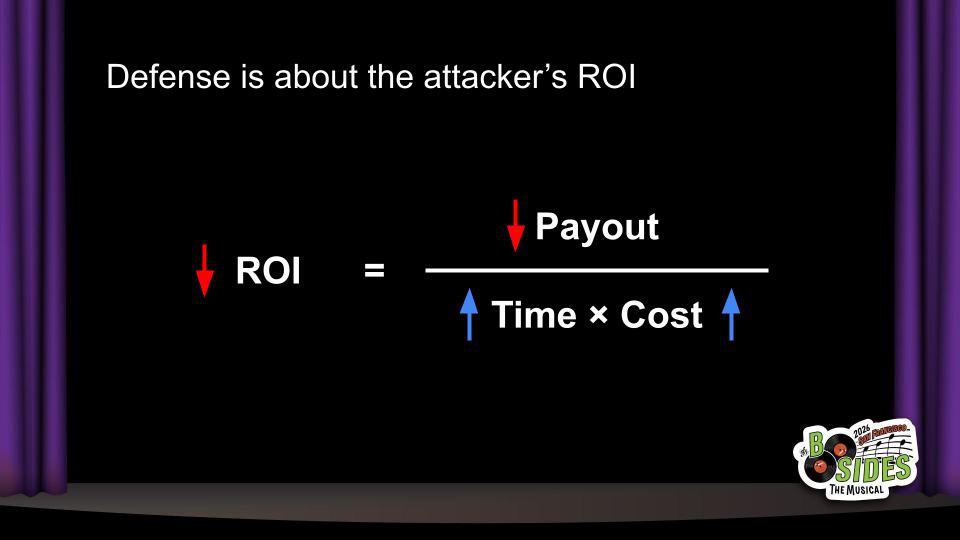
How do we lower attacker ROI? We have three ways:
Increase attacker costs
Reduce the payout in a successful attack
Slow their time-to-value

In the “Swiss cheese” model, we know that each layer of defense may have holes. The important thing is that bypassing a layer should cost the attacker something.
In the long-term, we saw that attackers pay marginal costs of pennies per request to use use anti-detect browsers, captcha-solvers, or proxies. Those pennies do matter - they add financial costs but also implementation costs.
Although integrating with these tools is easy, it isn’t free. When an attacker buys anti-detection or bypass tooling, they’re cutting into their ROI. That gives them a big incentive to go find a different, more-profitable target.

As a defender, you can also reduce the value of a successful attack.
One of the most effective things you can do in the middle of an attack is to just… turn off your free trial. Or, drastically cut down on how much is given away. You’ll find that below a certain value, many attackers will just go away, because the attack isn’t worth it anymore.
This doesn’t need to be permanent - you can go back up once you’ve added better protections. But it’s also an important discussion to have: will we really lose a lot of good prospects if we only offer $10 instead of $20? The specific price point makes a big difference for profit-motivated attackers, while it might not for curious potential customers.
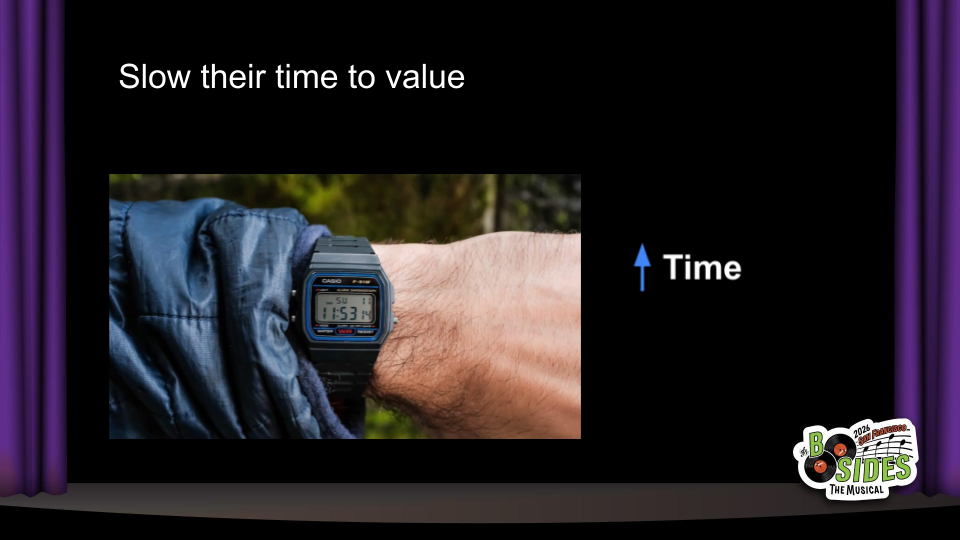
Finally, you can slow their time to value. Attackers don’t just think about direct financial costs; they also think about opportunity costs.
What would it mean for you to delay time to extract value? Can you throttle usage? How about adding a waiting period before withdrawing money?
Delaying payouts also enables you to delay enforcement. If you turn away bad actors immediately at signup time, that means they can iterate and immediately find out if they’ve successfully bypassed your defenses. If the enforcement happens minutes or days later, that adds a lot more uncertainty and reduces their ROI further.

Let’s review what we covered today.

We covered four types of anti-detection tooling: residential proxies, captcha-solvers, anti-detect browsers, and device farms. These are widely available via “B2B” vendors and that means that attackers can easily spend ~pennies per request to evade common defenses.

Even though this tooling is widely available and inexpensive, it still has a cost. That’s good news for us as defenders. We don’t need to be 100% perfect in defense. We just need to reduce the attacker’s ROI until it’s not worth it for them.

We had time for a few questions from the live audience:
Q: In a captcha solver, what do you send to one of these captcha-solving services exactly?
A: It varies based on the captcha itself, but generally requires some context from the page and browser Javascript environment. There are also captchas where you can just directly run a solver and get a token, and send the token directly to the target site’s API.
Q: If these tools are so often used for fraud and abuse, why haven’t they been taken down e.g. by payment processors or law enforcement?
A: Generally these tools are “dual use” in that they do have legitimate use cases on paper. The larger providers will say that they do try to prevent abuse on their platform but can’t stop it all, either. Analogously you could look at hosting providers like AWS that can be used for fraud and abuse, but also have plenty of legitimate usage.
A2: (I didn’t answer this live, but I should have also mentioned) At times we do see law enforcement takedowns of the shadier services. For example, the U.S. Justice Department took down a malware-based residential proxy provider this month, and the U.S. Secret Service made headlines last year when it shut down a series of device farms around New York City.
Q: How do you think AI agents are changing this environment for attackers and defenders?
A: This is an interesting topic because there is a lot of attention around AI agents, captcha-solving, and browser use, and I think it’s misdirected.
My short answer is that I don’t think direct AI agent use is a meaningful threat because of the ROI: it is significantly more expensive to have an AI agent spend tokens on solving a captcha than to use an existing captcha-solver service. That’s true for browser use as well. However, I do think it’s realistic that AI agents can be used to write code and we’ll see a rise of “slop kiddies”, where that lower barrier to entry will see increasing amounts of custom scripts. That’s why I think traditional bot detection still remains important.
The flip side of legitimate first-party AI agent usage is interesting as well. Many businesses today operate under the assumption that all bots are bad. But early adopters are using tools like OpenClaw to basically do account-takeover-as-a-service - logging in with their username and password in a way that’s indistinguishable from a bot attack. I think successful businesses will be offering API flows or scoped OAuth consent flows that enable these first-party agents and clearly distinguish them from human traffic.

For any follow-up, feel free to reach out by email or Bluesky!
—
Thanks to the BSides SF organizing team! This was a great event and I really enjoyed the speaking process.