Zero-defects code: the prescient Microsoft memo from 1989
“We are not suggesting this is attainable on the first try, but we think we know how to get there.”
There are no new ideas in software engineering, only ones we’ve learned and then forgotten. In 1989, the Zero Defects memo at Microsoft was already arguing for the ideas that became Continuous Integration, Test-Driven Development, and “shift left”.
In 1989, Microsoft had shipped MS-DOS but hadn’t made it to Windows 3.1 yet. The team was behind schedule and buried in bugs on the projects that would become Microsoft Access and Microsoft Word; it was common to “death march” as deadlines approached, working long hours for months to try and fix all the issues. But engineering leader Chris Mason argued that “perfect” code which conforms to its requirements was possible:
You can improve the quality of your code, and if you do, the rewards for yourself and for Microsoft will be immense. The hardest part is to decide that you want to write perfect code.
As Steven Sinofsky writes about the corporate culture at the time, “We were rewarding developers for checking in new code and declaring it done, even if it was not.” The memo was a response to that dysfunction.
Zero Defects is shockingly forward-looking for a 1989 memo, or alternatively a reminder that all software engineering has already been figured out before. Unfortunately, I’ve heard plenty of stories about companies who could use this advice today!
It’s got continuous integration and delivery:
I mean this literally: your goal should be to have a working, nearly-shippable product every day.
It’s got test-driven development:
Before you start debugging, determine what you’ll be looking for and write it down. If you can automate the tests, better yet.”
It’s got the core of shift left:
Speed with quality is a worthy goal, but quality usually suffers. Evidence suggests that you can spend your time thinking about side-effects and planning up front, or you can spend it patching fixes to bugs later on.
Some things don’t change. My favorite part of Zero Defects is that engineering leaders commit their political support for individual contributors to push back:
Don’t give in. Your first schedules will look infinitely padded, when in fact they will simply be true (a new thing in the world). Mike Maples has agreed to stand behind any schedule that can be defended as realistic.
If problems do occur, slip the schedule. Your goal should be to keep the schedule realistic (descriptive as well as prescriptive). It’s better to take the little heat now than the nova later on.
The full memo is below, as transcribed from Steven Sinofsky’s Hardcore Software - where I first heard about it. The full book is worth the read!
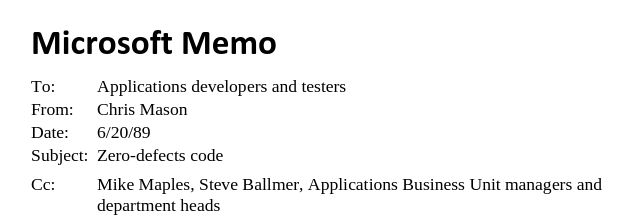
Microsoft Memo
To: Applications developers and testers
From: Chris Mason
Date: 6/20/89
Subject: Zero-defects code
Cc: Mike Maples, Steve Ballmer, Applications Business Unit managers and department heads
—
Zero defects
On May 12th and 13th, the application development managers held a retreat with some of their project leads, Mike Maples, and other representatives of Applications and Languages. My discussion group[1] investigated techniques for writing code with no defects. This memo describes the conclusions we reached.
Zero-defects code is the Holy Grail of programming. We are not suggesting that this phantasm is attainable on the first try, but we think we know how to get there. There is a crucial need to do this. In OBU, for example, Mac and PC Word were very late, and Win Word continues to be late, in each case because we had many more bugs than we anticipated. Large numbers of bugs at the end of a project make scheduling impossible for project leads and life unbearable for programmers and testers.
Zero defects has actually been achieved on software projects; it is not an impossible goal. Zero defects must be the new performance standard for development. A “defect” occurs when something that is labeled “done” does not conform to the requirements. We need to understand our methods, and strive to improve them in order to prevent defects from happening, or recover from them if they do happen. You’ll be able to measure your success by the reduced time from code complete to shipping.
You can improve the quality[2] of your code, and if you do, the rewards for yourself and for Microsoft will be immense. The hardest part is to decide that you want to write perfect code.
—
The problem
There are a lot of reasons why our products seem to get buggier and buggier. It’s a fact that they’re getting more complex, but we haven’t changed our methods to respond to that complexity.
The problems listed below are not an indictment. Some programmers write perfect code today, and the rest of us have good, honest reasons for coding the way we do. The point of enumerating our problems is to realize that our current methods, not our people, cause their own failure.
—
Minimal success
Our scheduling methods and Microsoft’s culture encourage doing the minimum work necessary on a feature. When it works well enough to demonstrate, we consider it done, everyone else considers it done, and the feature is checked off the schedule. The inevitable bugs months later are seen as unrelated. By investing the minimum effort, we guarantee the minimum return.
We slip things because it’s easier to postpone bad news than to face up to it when it happens. This is “mentally lazy and morally weak.”
Schedules and other high winds
We forget that the schedule is not a product, it’s a tool. Its purpose is to predict when we will finish, so that other people can schedule their own work accordingly. The schedule has nothing (directly) to do with the quality of the product.
When the schedule is jeopardized, we start cutting corners. We worry about getting features implemented quickly. We ignore warning signs that serious problems exist, or we cut “non-critical” items like size and speed tuning.
Missing the point
The reason that complexity breeds bugs is that we don’t understand how the pieces will work together. This is true for new products as well as for changes to existing products.
I don’t believe that any of our products are so complex that our programmers can’t understand them. Code that is too complex to understand should probably be rewritten; complex code can still be straightforward. The real problem has two facets: we don’t want to spend the time to understand exactly how a new feature will affect or be affected by the rest of the program, and too often we think we understand this but do not.
The wrong people write too much code
Imagine a well-intentioned programmer who gets a feature done very quickly, as requested, with minimal unit testing and almost no system testing, marks it off on the schedule, then starts on a new feature. Now imagine another programmer who also works quickly, but very carefully checks his assumptions, handles boundary cases, writes good test suites, verifies all the cases, and then checks it off on the schedule.
The first programmer gets to write more features than the second. The first programmer also gets to spend a lot of time, six months from now, working the bugs out of code he dimly remembers, while the second programmer will have little to do.
This is exactly the reverse of the ideal.
No commitment to completeness
No one is charged with the responsibility for ensuring the completeness of code. Development is too often concerned with appearing to make progress (my opinion of this should be clear by now), and with having a clean product at ship time. Testing can only verify that the product works as specified; this is a poor test of completeness. Program management, marketing, and user education concentrate on the schedule and a minimum usability level.
Development is at fault here. No one can know if the code is complete but the author or his peers. We have not been charged with this responsibility in the past, so we have not shouldered the burden.
“We’ll do that later” doesn’t work, because “later” you’re going to be up to your neck in alligators trying to figure out how you got there.
Lack of ownership
Under pressure, we tend to hunker down and just try to get our part of the job done. But part of the job is to stand up and look around. Each developer should take the responsibility to consider the entire product, use common sense, and not just take the spec as gospel.
Over-confidence
This is perfectly natural, but wrong. Every programmer I know writes good code, looks at it in satisfaction, and declares that it should work. I have rarely seen new code that does so. (The occasions are easy to spot: people dancing and hooting in the halls.) What piece of code has withstood six months of testing with no bugs reported? Or been reviewed in the next version without a shudder?
“Bugs are inevitable”
This is an insidious idea. The fact that we must rid ourselves of this idea seems to contradict the implications I’ve been making, namely that we should anticipate bugs in our code and winnow them out early. There is no contradiction: when everyone feels that bugs will happen no matter what we do, we stop taking action to prevent any bugs from appearing.
In fact, bugs are inevitable. But if we act that way, we make it more horribly true.
—
The solution
First, I have to admit that there is no single solution. Every project team must evaluate itself and its product and determine what will help to achieve zero defects. It doesn’t matter whether we can actually achieve zero on the first attempt, but we should start right now and get closer on every project.
This section gives a broad overview of the solution. The following sections describe how to change your attitudes and work habits to reach that goal. A few of the ideas must be done or the whole thing will collapse, but for the most part each project should pick and choose what works best for them.
Zero bugs every day
I mean this literally: your goal should be to have a working, nearly-shippable product every day.
This doesn’t mean that when you go home every night you have removed all the bugs from work in progress. It simply means that when a programmer says a feature is complete, it is totally complete: all error and boundary cases work, all interactions with the rest of the product have been dealt with, test documentation or code to exercise the feature are checked in.
Your project should have a state or directory from which anyone can create a current “clean” copy of the product. One way to handle this is to stage the checkin. Modules can be checked in to a “working” directory for history and as insurance against hard disk failure, then checked in to the “clean” directory when the feature is complete.
Fix it now
Since human beings themselves are not fully debugged yet, there will be bugs in your code no matter what you do. When this happens, you must evaluate the problem and resolve it immediately. Remember that the goal is to have a perfect “clean” copy at all times.
Testers shall not
Bob Matthews often says, “We should write quality into our products, not test it in.” Perhaps testing is a bad name for what our testing department should do. If our programmers ensure the quality of their work by the time testing sees it, then testing’s function is quality assurance, not finding bugs.
This doesn’t necessarily change the methods that testing uses, although testing’s function may evolve if we truly succeed in giving them high quality code. But it’s an important attitude shift, and in solving the problem of code quality, attitude is almost everything.
—
A new attitude
Zero defects is a strategy that can’t have results unless we decide to make it work. This section gives ideas for aligning yourself with the new attitude.
Think twice before you code
You make hundreds of assumptions when you write a new routine, from the mundane (parameters of called subroutines) to the grandiose (how the user will perceive the feature). Experience has shown that many of these are wrong.
Minor changes are even worse, because the investment in time to fully understand the context of the change seems to outweigh the magnitude of the change. When we make assumptions, we must explicitly state them (with asserts or checking code).
A related problem is not taking the time to think about various situations at all. Incomplete understanding is a huge source of bugs, and has a simple fix: investments in understanding and thinking about the context of a change always pay off.
Take the time
Programming speed is highly overrated. Speed with quality is a worthy goal, but quality usually suffers. Evidence suggests that you can spend your time thinking about side-effects and planning up front, or you can spend it patching fixes to bugs later on. These options take about the same amount of time, but the latter results in an inferior product and burnt-out programmers, and you can’t predict how long it will take.
Take the heat
Once you have committed yourself to zero-defects code, you’re going to encounter pressures to drop back to the old methods. Some of this will be temporary until other groups (user education and program management, for example) learn that the new method results in better products whose progress can be measured and predicted.
Don’t give in. Your first schedules will look infinitely padded, when in fact they will simply be true (a new thing in the world). Mike Maples has agreed to stand behind any schedule that can be defended as realistic.
If problems do occur, slip the schedule. Your goal should be to keep the schedule realistic (descriptive as well as prescriptive). It’s better to take the little heat now than the nova later on.
Be ashamed of bugs
If you think that there will be bugs in your code no matter what you do, and someone actually finds one (or a hundred), there’s no cause for alarm: “I knew it.” If you think that there won’t be any bugs in your code, but someone finds them anyway, you probably react with resignation: “I guess I was wrong.”
Both of these are counter-productive strategies for dealing with bugs. Plan carefully so they don’t happen. If they happen anyway, you should be embarrassed, and find out why your plans failed. Then take action to prevent the same failures in the future.
Coding is the major way we spend our time. Writing bugs means we’re failing in our major activity. Hundreds of thousands of individuals and companies rely on our products; bugs can cause a lot of lost time and money. We could conceivably put a company out of business with a bug in a spreadsheet, database, or word processor. We have to start taking this more seriously.
Reward quality
It’s difficult to say what it is we’re rewarding now. What we should be rewarding are people who do the job right the first time. If we can’t find anyone like that, we should reward whoever comes closest. One means of reward is simply to let them do more of the fun stuff. The way you do that is to enforce the rule that if something is broken, it must be fixed right away.
Another means of reward is a better performance review, which in turn leads to monetary reward.
“Fat and slow” is a bug
Users measure our products by their speed (a major part of usability) as much as by their features. Our methods do not reveal this. We often let hand native, swap tuning, and other important optimizations slip until there’s no time to do them.
Hand native should be done in parallel with the C from the start. This may seem to “waste” time, but you’ll always know if the program is fast enough, and have time to correct it if it’s not. Algorithmic optimization should never be postponed. Swap tuning is a difficult issue, especially under Windows and with the state of our current tools; each project lead should decide how to schedule it.
The intent is not to do unnecessary optimizations, but to schedule, and never postpone, known optimizations.
Code quality measures programmer performance
If we value quality, then quality should be a criterion in performance reviews: not the only criterion, but as important as any other.
—
A new way to work
All of the concrete suggestions in this section came from a few hours’ discussion by nine people who had changed their attitude. These are ideas for how to implement a zero- defects strategy in your project. If you have others, please let everyone know.
Stop guessing
Here are ideas for making sure you do it right. Not all of these techniques will work for everyone, so pick and choose.
Cleanroom
This technique has been described by Harlan Mills3, and was once used unintentionally by Charles Simonyi. Both report good results in small- to medium-sized projects. One aspect of this approach is to do things in a more mathematical manner, leading to informal proofs of correctness.
To use the cleanroom technique, imagine that your hardware has not been delivered yet, so you can’t debug your program. After designing and writing your code, you and your colleagues review it carefully and in detail, over and over if necessary until you’re absolutely sure that it will run the first time. Mills’ and Simonyi’s experience is that it nearly will run the first time.
Code review
No group of more than two programmers can agree on the best format for code reviews, so we won’t make a claim for a “best” format. We do think code reviews are critical. Here are some ideas.
The old-style presentation code review, in which the author walks through his code with his peers, does not catch any but the most superficial bugs. It is an excellent teaching tool, however, and we encourage its use for that purpose.
A more rigorous method is for the author to prepare an introduction to the code, including written documentation, and give a high-level walk-through of the code to one or more of his peers. The reviewers then use the author’s materials to actually step through and test the code. A variation is for the reviewers to simply read the code thoroughly until they understand it. In both cases, the reviewers should be looking for missing logic, for how exception cases are handled, and for bad assumptions. Then the reviewers report their results to the author.
Another variation is for the reviewers to review the code privately and report whether or not they found problems, without saying what the problems were. The author must try to find the problems independently.
Don’t trust anyone
Since so many problems are caused by misunderstandings, assume nothing without verification. This can take the form of asserts and state verification code that runs on demand or at idle time.
Debugging tools never find their way into the schedule—this has to change. Every development postmortem[4] promises that more time will be spent on essential debug tools next time. Stop postponing it. PAs that can write code are a great way to get these done; almost all of the debugging tools in Mac Word 4 were done by a PA.
We all claim to use asserts, but almost all code could use more of them. Spend the time to identify what your assumptions are, then make the code prove that the assumptions are correct.
Document your design and interface
Each project should determine what level of documentation is adequate. Only one thing is certain: your current level of documentation is probably inadequate.
Improvements may require nothing more than enforcing meaningful header comments on all routines. It would probably help to have at least a high-level document describing the basic logic and data structures for every major part of the product. Don’t forget to schedule time to write these, and don’t wait until after the product ships: by then it’s too late to help anyone.
If you don’t do this, people will continue to make bad assumptions about your code. The resulting bugs will be your fault.
Part of the documentation effort must be to simply talk to each other. Too often there is not enough communication even within a team. This turns you into a bug factory.
Training sessions
New people on the project (or on a feature) are a great source of bugs. You can avoid this by teaching them what they need to know. An orientation document is a great help; the Mac Word Fundamentals document has really helped.
Have regular meetings where someone presents the ideas behind part of the product. If you have a weekly development meeting, do it then. Discuss the basic logic of the code and how it interferes with the rest of the product. You may want to videotape the presentations so you can show them to new people later on.
Encourage everyone on the project to know the entire product well.
Write tests before debugging
This is critical. Before you start debugging, determine what you’ll be looking for and write it down. If you can automate the tests, better yet. As you find cases you missed, add them to the script.
We don’t want you to waste time managing unwieldy scripts, so keep them as brief as possible. But if you write down what you’ll be testing, you get these benefits:
You can give the script to testing when you check in the code. They’ll have a better chance of verifying your code, or finding problems.
You’ll know for sure what you tested.
You’ll think of things you missed before anyone else even sees it.
Competing designs and implementations
This is a dark horse. One way to be sure you have the best design is to have two different teams develop a solution to the same problem independently, then accept the better design. You may want to take parts of each design for the final product. You can use the same technique for implementation: have two teams write the same feature.
Ths sounds expensive, and it is. But by simply doubling your cost, you guarantee a better product.
There is another problem: how do you tell which is better? Nathan Myrhvold suggests examples in which competing designs couldn’t be distinguished until they were implemented. So, if you’re thinking of trying this, you should plan on carrying the competition through the coding phase.
Self-validation
Before you call something done, you should convince yourself it is correct.
Mathematical proofs suffer from Groucho’s disease: they can only prove algorithms that are so simple we don’t care. So try the techniques below.
Step in it
As in, “You don’t know it until you_”
A common technique for verifying the “correctness” of new code is to run it and see if it crashes. If it doesn’t crash, and it seems to produce the correct result, then it “works”.
Step in it means step through every line of code with a debugger. Stop at crucial points and examine important variables. Watch closely at important logic points.
In Mac Word 4, we stepped through code for two reasons: to verify the correctness of hand native, and because the profiler wasn’t giving us the right kind of information[5]. The result was extremely clean hand native, and a lot of insight into how the program really worked, which allowed us to improve its speed dramatically.
The only way to be sure code works is to watch it.
Code review
This must be said again. The educational benefits alone make code reviews worthwhile. But their real value is to get more than one person thinking about the code, and verifying it. Use whatever format works best for you, but schedule code reviews and then do them.
Glass box testing
Sometimes called white box testing. PAs would make great glass box testers. This is an interactive code review: having someone other than the author test the code with a listing open, looking again for missed cases, bad assumptions, or simple mistakes.
Presumed guilty
The U.S. judicial system is a terrible model for testing software. Assume that your code does not work (a good bet), and make it prove itself. This is where your scripts come in. Figure out before debugging how your code could be broken, then prove that it’s not.
This is a crucial change in attitude. We must stop writing code and then testing it to find the bugs. Instead, we need to write the code and convince ourselves that it works. Not finding bugs is not a proof of correctness.
Self-correction
When you’ve expended your best efforts, and you still find bugs in your code, don’t give up and don’t accept the situation. Do these instead.
Do not pass Go
Fix it right now.
Your commitment to zero bugs every day has broken down. Stop working on that jazzy new feature, forget about the schedule, and fix the problem.
Reassess and scream
Simply fixing the bug isn’t enough. Take a moment to figure out why the bug happened. Why didn’t your test scripts or asserts catch it earlier? What assumptions were wrong, what rules did you break?
If you find something, look hard for other instances—bugs travel in swarms. Then let everyone else on the project know. It’s likely that someone else made the same wrong assumptions. Bring these up at the weekly development meetings.
Three strikes
When a lot of bugs have been found in the same area, there’s something seriously wrong. Find out what it is. Perhaps someone isn’t spending enough time to verify the code before checking it in. Perhaps there are serious design problems.
When design problems do occur, be ready to throw it out and start again. You can easily spend as much time trying to patch a bad design as you can fixing it right. Take the heat: adjust the schedule if necessary, but don’t force users and your team to live with mistakes that could be corrected and will compound if they’re not.
Reassign bugs
A possible extension of code reviews is to have someone other than the author fix some of the bugs in an area, especially problem areas. There are many variations: assign the bug to someone who has reviewed the code in question, or assign it to someone at random. You may find that getting a new perspective on the area will help to identify the larger problem.
Fix one, find one
Consider using a quota system: for every bug found in your area, you must find another bug and fix it. (This is not recursive: you’re free after the second fix.)
The second bug doesn’t have to be in the same area, or even in your code at all. This technique will motivate you to not create bugs, and it will also force you to examine the product more closely.
Projects in progress
Projects that are already well advanced can still use some of the concepts of zero defects.
Do code reviews. Even if you’re in crunch mode to fix bugs, good code reviews can find more problems and are worth the time.
Step through new code, even small bug fixes.
Add asserts and state verification code.
Be very careful when fixing bugs. Examine assumptions and verify them. Stop and think about what else you’re affecting.
When an area is showing severe problems, consider throwing it out and doing it over.
Update function header comments; stop and document areas that everyone uses but which are not well understood.
Have training and discussion sessions.
Have your PAs do glass box testing.
Implement the fix one, find one scheme.
Benefits
Zero defects is a lofty goal, but it can have tangible results.
Predictability
The stabilization phase of the project is the hardest to schedule. The smaller that phase becomes, the better we can predict the entire project. If we always check in high-quality code, then we have a good idea how much time the remaining tasks will take, and everyone benefits.
Spread out the fun
Imagine that, late in the project, you’re not fixing bugs for twelve hours a day! Instead, you’re writing quality code that you’re not going to have to come back to later and patch incessantly.
Put your time into thinking up front, and the fun stuff will last all through the project.
Less conflict
Between programmers and between groups.
Pride and productivity
When the quality of your code goes up, you’ll feel a sense of pride and accomplishment throughout the project, not just when the good reviews come in. Also, Dave Moore has studies that show that when you think consciously about quality, and work to improve it, your productivity also increases. That’s rewarding both for you and for the company.
Self-leveling
When projects follow zero-defects strategies, the people who write the best code will get to write more of it. This rewards the best coders and gives everyone a way to measure and improve themselves.
—
Learning together
This isn’t the final word. If you find techniques that help you produce better-quality code, please tell Dave Moore, Doug Klunder, or myself so we can make everyone aware of them.

Footnotes
[1] Brian Arbogast, Dennis Canady, Jon DeVaan, Ed Johns, Doug Klunder, Brian MacDonald, Tom Reeve, Charles Simonyi.
[2] Dave Moore’s definitional of quality: “Conforms to the requirements".” This means a feature the way it was specified, at a given level of performance. Quality doesn’t mean the code is perfectly or infinitely fast. Oftentimes exceeding the requirements is not worth the cost.
[3] In “Cleanroom Software Engineering.” Dave Moore can provide copies of the article.
[4] OBU now calls these Project Epilogues.
[5] The profile can tell you how long was spent in the code that ran. It can’t tell you if the right code was run, for example if a cache eliminated unnecessary work.